- Home |
- About |
- Contact Us |
- Privacy |
- Newsletter |
- Shop |
- Donate
Area of a Circle Support Page

Welcome to our Area of a Circle support page.
Here you will find a range of help and support, along with some worked examples
which will help your child to learn to work out the area of different circles.
Area of a Circle Support
On this webpage you will find step-by-step instructions and examples to help your child learn to work out the area of a range of circles.
Want to test yourself to see how well you have understood this skill?.
- Try our NEW quick quiz at the bottom of this page.
Quicklinks to ...
What is Area?
- Area is a measure of the amount of space inside a shape.
- It is measured in squares, so it can be square inches (in2), square cm (cm2), square feet(ft2), etc.
How to find the Area of a Circle

The formula for the area of a circle is: \[ A = \pi r^2 \] where r is the radius of the circle.
To find the area of a circle, follow these simple steps:
- find the radius of the circle (the distance from one side to the center of the circle). It is the same as half of the diameter of the circle.
- square the radius (multiply the radius by itself)
- multiply this amount by pi ( π )
- you have now found the area of the circle.
- the formula for the area of a circle is \[ A = \pi \times r \times r \] \[ \; or \; A = \pi r^2 \] where A is the area and r is the radius of the circle.
Pi (written π ) is a special mathematical number which is used to help calculate areas and perimeters of circles.
Pi always has the same value which is 3.141592...
Area of a Circle Examples
Area of a Circle Example 1
Find the area of the circle below to 1 decimal place.

To find the area of the circle, we need to find the radius first.
The radius is half of the diameter, so it is half of 5 = 2.5 cm.
Next we need to square the radius: 2.52 = 2.5 x 2.5 = 6.25 cm.
Finally we need to multiply this amount by pi (π).
So this gives us the area of the circle:
\[ A = \pi r^2 = \pi \times 6.25 \; or \; 6.25 \pi \]
If we take pi = 3.14, this gives us an area of 3.14 x 6.25 = 19.6 square cm (or 19.6 cm2) to 1 decimal place.
Area of a Circle Example 2
Find the area of the circle below to the nearest inch.

To find the area of a circle, we need to find the radius first.
The radius of the circle is half of the diameter which is half of 7 = 3.5 inches.
Next we need to square the radius: 3.52 = 3.5 x 3.5 = 12.25 cm.
Finally we need to multiply this amount by pi (π).
So this gives us the area of the circle:
\[ A = \pi r^2 = \pi \times 12.25 \; or \; 12.25 \pi \]
If we take pi = 3.14, this gives us an area of 3.14 x 12.25 = 38.5 square inches or 38.5 in2 to 1 decimal place.
Area of a Circle Example 3
Find the area of the circle below and give your answer to the nearest whole number.

To find the area of a circle, we need to square the radius and multiply this by pi (π)
The radius of the circle is 12 m, so the square of the radius is 122 = 12 x 12 = 144.
Finally we need to multiply this amount by pi (π).
So this gives us the area of the circle:
\[ A = \pi r^2 = \pi \times 144 \; or \; 144 \pi \]
This gives us an area of π x 144 = 452 square m or 452 m2 to the nearest whole number.
Area of a Circle Example 4
Find the radius of the circle if the area of the circle is 36 π square inches.

In this case, we know the area of the circle but we need to find the radius.
The area of the circle is:
\[ A = \pi r^2 \]
We know that the area is 36 π square inches so this gives us:
\[ 36 \pi = \pi r^2 \]
If we divide both sides of the equation by π then it cancels out, giving us:
\[ r^2 = 36 \]
If we square root both sides of the equation we end up with:
\[ r = \sqrt {36} = 6 inches \]
This gives us an answer of 6 inches for the radius of the circle.
Area of a Circle Example 5
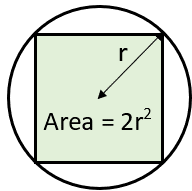
Find the area of the circle which touches the edges of the square shown in the diagram below, giving your answer in terms of pi.

You will notice that the sides of the square are exactly the same length as the horizontal diameter of the circle.
This means that the diameter of the circle is 32 mm.
We halve the diameter to find the radius:
\[ r = 32 \div 2 = 16 mm \]
We can now find the area of the circle:
\[ A = \pi r^2 = \pi \times 16^2 = 256 \pi \]
For this question we have been asked to leave the answer in terms of pi.
This gives us an answer of 256 π mm2 for the area of the circle .
Area of a Circle Calculator
Our Area of a Circle Calculator will find the area of any circle, if you type in a radius or diameter.
It will take whole numbers, fractions or decimal values.
The best thing about it is that it shows the working out, step-by-step.

More Recommended Math Worksheets
Take a look at some more of our worksheets similar to these.
Area of a Circle Worksheets
We have a selection of worksheets to help you practice finding the area of different circles.
As well as basic area of a circle worksheets, we also have a selection of more challenging word problems connected to finding the area of a circle.

More Area & Perimeter of Circles Worksheets




More Area Support and Resources
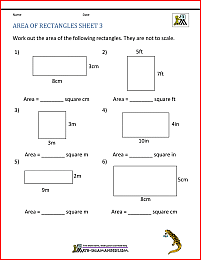
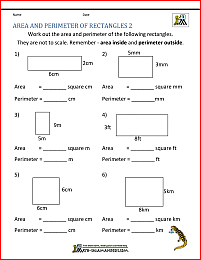
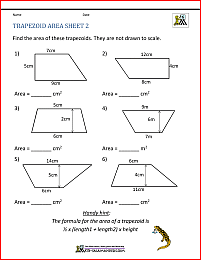
We have a range of other area worksheets and support pages for a range of different 2d shapes.


More Perimeter Worksheets
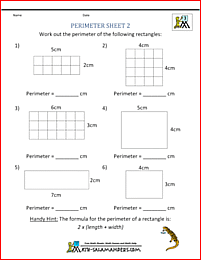
Here is our selection of free printable perimeter worksheets for 3rd and up.
Using these sheets will help your child to find the perimeter of a range of shapes including rectangles, rectilinear shapes, circles, quadrilaterals and regular shapes.
Area of a Circle Online Quiz
This quick quiz tests your knowledge and skill at finding the area of a circle here.
The link below will open the quiz in a dedicated quiz page or you can preview a copy of the quiz underneath.
Our quizzes have been created using Google Forms.
At the end of the quiz, you will get the chance to see your results by clicking 'See Score'.
This will take you to a new webpage where your results will be shown. You can print a copy of your results from this page, either as a pdf or as a paper copy.
For incorrect responses, we have added some helpful learning points to explain which answer was correct and why.
We do not collect any personal data from our quizzes, except in the 'First Name' and 'Group/Class' fields which are both optional and only used for teachers to identify students within their educational setting.
We also collect the results from the quizzes which we use to help us to develop our resources and give us insight into future resources to create.
For more information on the information we collect, please take a look at our Privacy Policy
We would be grateful for any feedback on our quizzes, please let us know using our Contact Us link, or use the Facebook Comments form at the bottom of the page.
Area of a Circle Online Quiz
Fun Quiz Facts
- This quiz was attempted 284 times in the last academic year.
- The average (mean) score was just 5.4 out of 10 marks.
- Can you beat the mean score?
How to Print or Save these sheets 🖶
Need help with printing or saving?
Follow these 3 steps to get your worksheets printed perfectly!
How to Print or Save these sheets 🖶
Need help with printing or saving?
Follow these 3 steps to get your worksheets printed perfectly!
Subscribe to Math Salamanders News
Sign up for our newsletter to get free math support delivered to your inbox each month. Plus, get a seasonal math grab pack included for free!

Math-Salamanders.com
The Math Salamanders hope you enjoy using these free printable Math worksheets and all our other Math games and resources.
If you have any questions or need any information about our site, please get in touch with us using the 'Contact Us' tab at the top and bottom of every page.
